Trusted IT Help for
Child Contact Centres
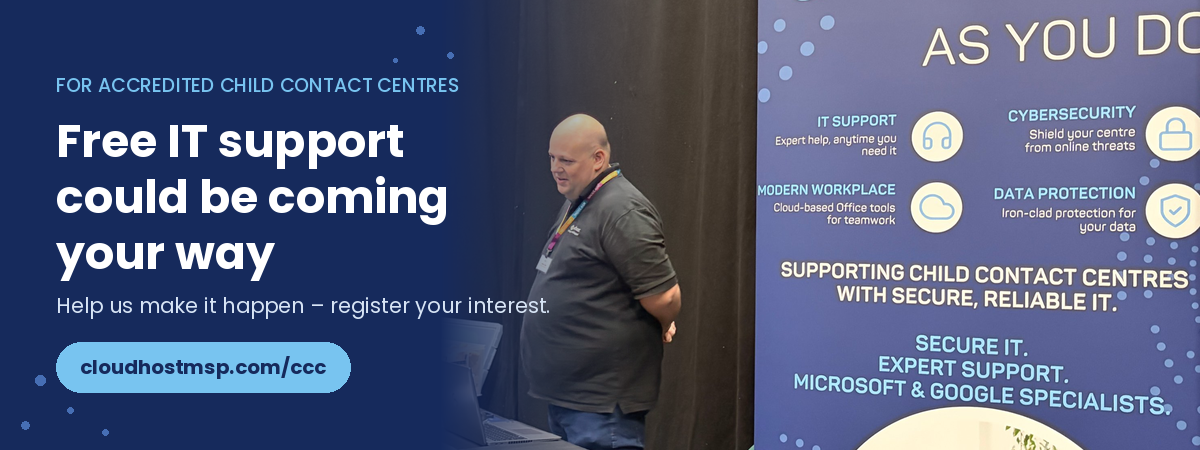
Practical IT support and cyber security guidance for when technology gets in the way of supporting families. We're working with NACCC on a member support programme. Register your centre's interest today to get a free IT and security review.
A Practical Safety Net
for Your Centre's Technology
Many centres don't have their own IT expertise or the budget for a full managed service. The programme gives participating centres one trusted place to get professional help and security advice when they need it.
Helpdesk Support
Remote help with everyday IT queries and troubleshooting, user accounts and access, Microsoft 365 and Google Workspace.
Technology & Security Review
A review of your centre's IT and your Microsoft 365 or Google Workspace setup, with clear recommendations in priority order.
Device Monitoring
Where you agree, we monitor Windows update status and device health, and flag outdated or unsupported devices before they cause problems.
Cyber Security Guidance
Help after a suspicious email or a suspected account compromise, plus practical advice on passwords, sign-in security and who has access to what.
The Kind of Problems
We Can Help With
Some examples of everyday situations where participating centres can ask us for help.
"Someone clicked a link in a suspicious email"
We'll help you work out what happened, secure the affected account and take practical next steps.
"We're locked out of our email account"
Help with sign-in problems, password resets and multi-factor authentication in Microsoft 365 or Google Workspace.
"A volunteer is leaving and needs removing"
Advice on managing who can reach sensitive case records, including giving and removing access correctly.
"Our laptop keeps asking for updates"
We'll show you which devices are behind on updates, and which are too old to be supported safely any more.
"We think an account has been hacked"
Initial triage and advice when you suspect an account compromise, so you know what to do straight away.
"We can't share a document with the team"
Help with shared mailboxes, folders and document permissions, so your team can work together securely.
Your Free IT &
Security Review
Every centre that joins starts with a standard review of its technology. It tells you where you stand and what to fix first. It's free, and you're under no obligation.
- Technology review: a basic look at your centre's devices, email and data storage
- Microsoft 365 / Google Workspace check: how your setup compares with good-practice security settings
- Security weaknesses: obvious gaps that could put family or case data at risk
- Prioritised recommendations: plain-English next steps, most important first
- 1Register interestFill in the short form. It takes under a minute.
- 2Enrol your centreComplete a short enrolment, confirm eligibility and name your authorised contacts.
- 3Initial reviewWe review your setup and send you prioritised recommendations.
- 4Ongoing supportContact our helpdesk whenever technology or security becomes a problem.
What's Included and
What's Quoted Separately
The programme is a support safety net. It doesn't replace a fully managed IT service, and support isn't unlimited. Here is where the line falls.
Included in the programme
- Remote helpdesk access within a shared fair-use allowance
- An initial standard technology and security review
- Routine Microsoft 365 or Google Workspace guidance
- Basic security advice and incident triage
- Agreed device monitoring and update visibility
Quoted separately
- Microsoft 365 or Google Workspace migrations
- New device builds, hardware and large-scale fixes
- Network, Wi-Fi or telephony projects
- On-site visits and website development
- Major incident recovery or forensic investigation
- Cyber Essentials certification
- Fully managed IT support, licences and hardware
Fair use: support comes from an allowance shared by all participating centres, so help is there when it's genuinely needed and the programme stays sustainable. We will always check with you before doing any extra work.
Fully Managed IT and
Projects for Your Centre
Some centres need more than a safety net. Examples are moving to Microsoft 365, replacing old laptops, getting Cyber Essentials certified, or handing their IT over to us completely. In those cases we'll give you a properly scoped quote instead of a patch-up fix.
We also support child contact centres that aren't part of the programme. We charge per user each month, with no long-term contracts.
Trusted by Child Contact Centres
and Non-Profits Across the UK
"What sets CloudHost apart is their proactive approach. They've helped us streamline our systems and put robust security measures in place."
"Thanks to Cloudhost, I never have to worry. They have completely eliminated the anxiety that IT issues used to cause. Thank you!"
"CloudHost are easy to talk to, they sort problems quickly and they've helped us feel confident we're doing things properly."
Questions From
Centre Coordinators
Straight answers about the programme and the free review.
What does registering interest commit us to?
Nothing. Registering tells us your centre would like to take part and would like a free IT and security review. There's no cost and no obligation. We'll contact you to explain the next steps.
Is the programme up and running yet?
We're working with NACCC to set up a technology support programme for member centres. Registering now puts your centre on the list, so we can keep you updated and arrange your free review.
What's included in the free IT and security review?
We look at your centre's technology and your Microsoft 365 or Google Workspace setup. We point out any obvious security weaknesses and give you plain-English recommendations, with the most important first. You don't have to act on any of them.
Is the helpdesk support unlimited?
No. Support comes from a fair-use allowance shared by all participating centres. It covers everyday IT queries, account and access problems, Microsoft 365 and Google Workspace help, and security concerns. Larger jobs are scoped and quoted separately, and only go ahead with your approval.
Will NACCC see our centre's information?
NACCC would receive programme-level information such as uptake, common support themes and overall security trends. We would not share confidential information about your centre without an appropriate basis and your authorisation.
Will you install anything on our devices?
Only where it's appropriate and you've agreed to it. Monitoring tools let us see Windows update status and device health, so we can warn you about risks such as outdated or unsupported devices.
What if we need more than the programme covers?
We can give you a properly scoped quote for projects such as migrations, new devices, Cyber Essentials, or fully managed IT support. There's no pressure. Many centres will find the programme is all they need.
Trusted IT Help for
NACCC Members
Register your centre's interest in the member technology support programme and get a free IT and security review. There's no cost and no obligation, just practical advice from a team that understands child contact centres.